
Pick Characters
Pick Characters
Use this page to record both sides' character picks and Global Ban Records.
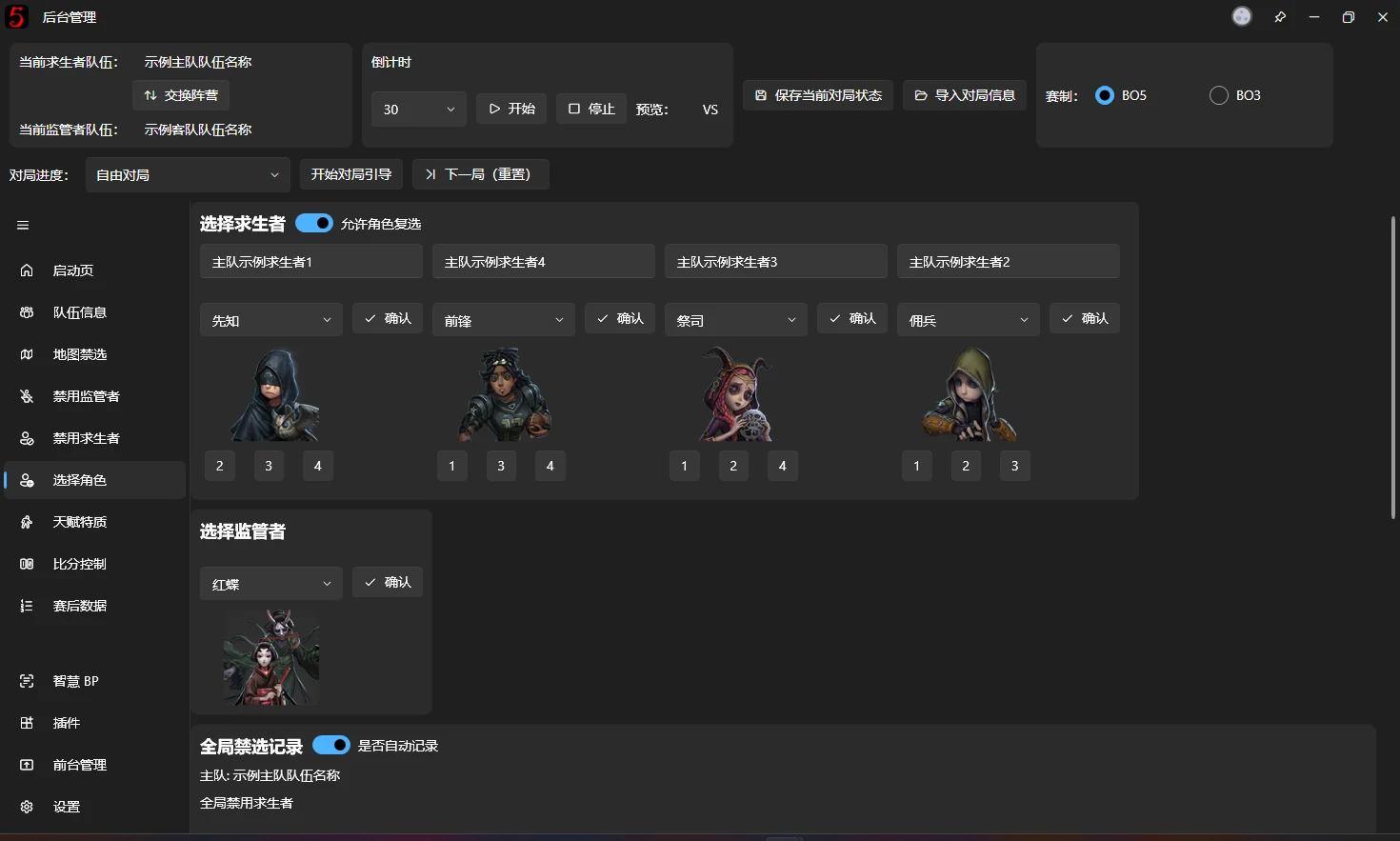
Pick characters for each faction
The page has four Survivor selectors and one Hunter selector. Each Survivor selector has a read-only field above it showing the player name for that slot, making it easier to match players with characters during character assignment.
Selection works as described under Character selector.
Below each Survivor selector is a character assignment switcher. It works like the player-swap buttons on the Team Information page: click a number to swap character assignments with the Survivor player in that position.
⚠️ As explained under Character selector, the overlay matches the preview portrait. After swapping characters, a different name remaining in the drop-down is normal. Please do not report this as a bug.
Global Ban Records
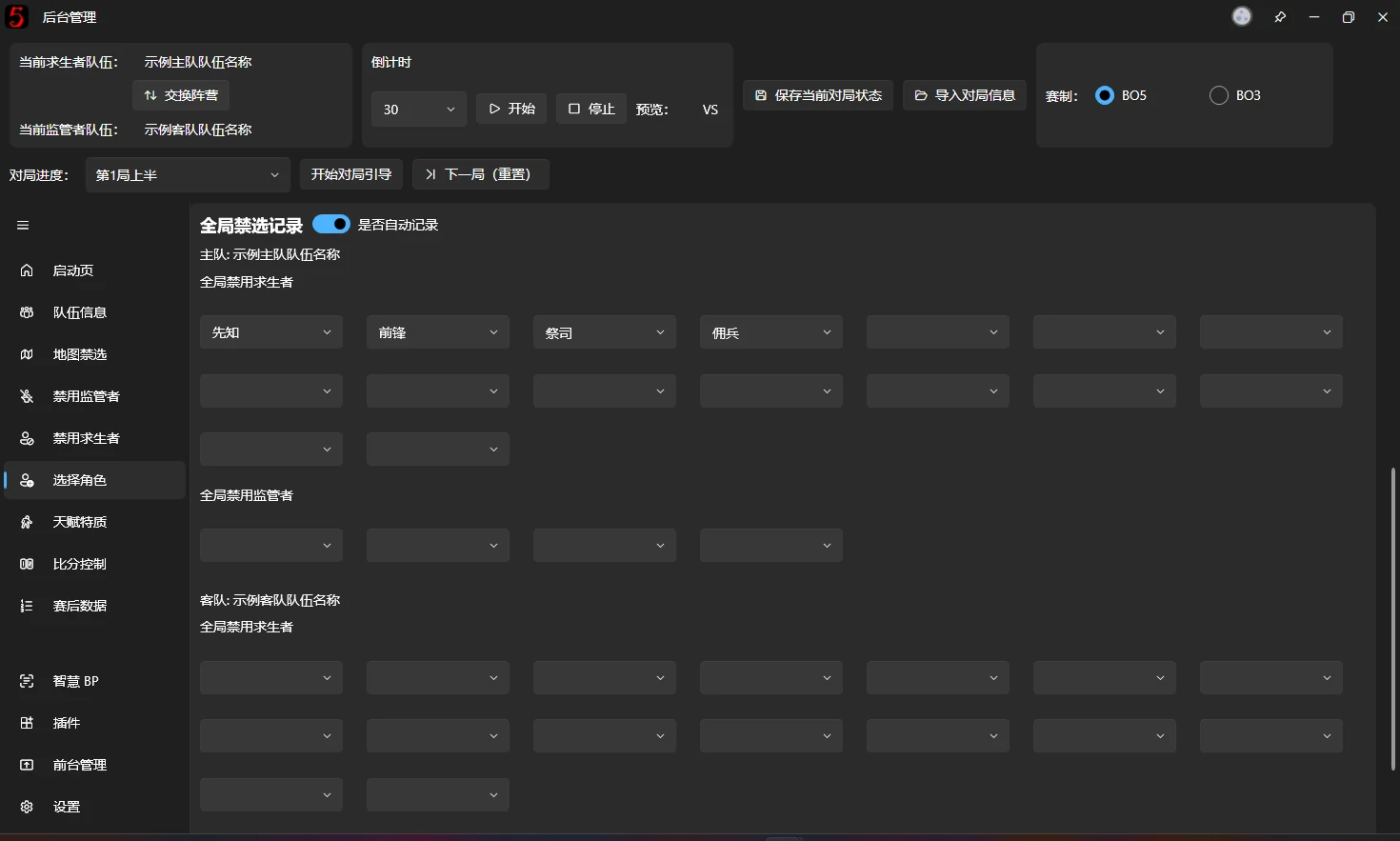
Global Ban Records track the characters that should be globally banned the next time a team plays that faction. They are applied automatically when switching sides.
These fields use the simplified character selector, with all of its search features.
The mechanism works as follows:
With automatic recording enabled, characters are added to the appropriate team's Global Ban Records according to the current game progress and each team's faction. For example:
In the first half of Game 1, the home team plays Survivors and picks Seer, Forward, Priestess, and Mercenary. They are automatically entered into slots 1–4 of the home team's Global Ban Records, as shown above.
In the second half of Game 2, the away team plays Survivors and picks four characters. They are automatically entered into slots 1–4 of the away team's Global Ban Records.
The next time that team plays the same faction, the records are automatically copied into Global Bans on the Ban Characters page. This filling is triggered by:
- Switching sides.
- Starting Guided Workflow.
- Clicking Next Game (Reset) and choosing Yes, or choosing Reset Only.