
Settings
Settings
Personalize the software and view information such as the author, contact details, version, open-source license, sponsorship options, and updates.
Software information
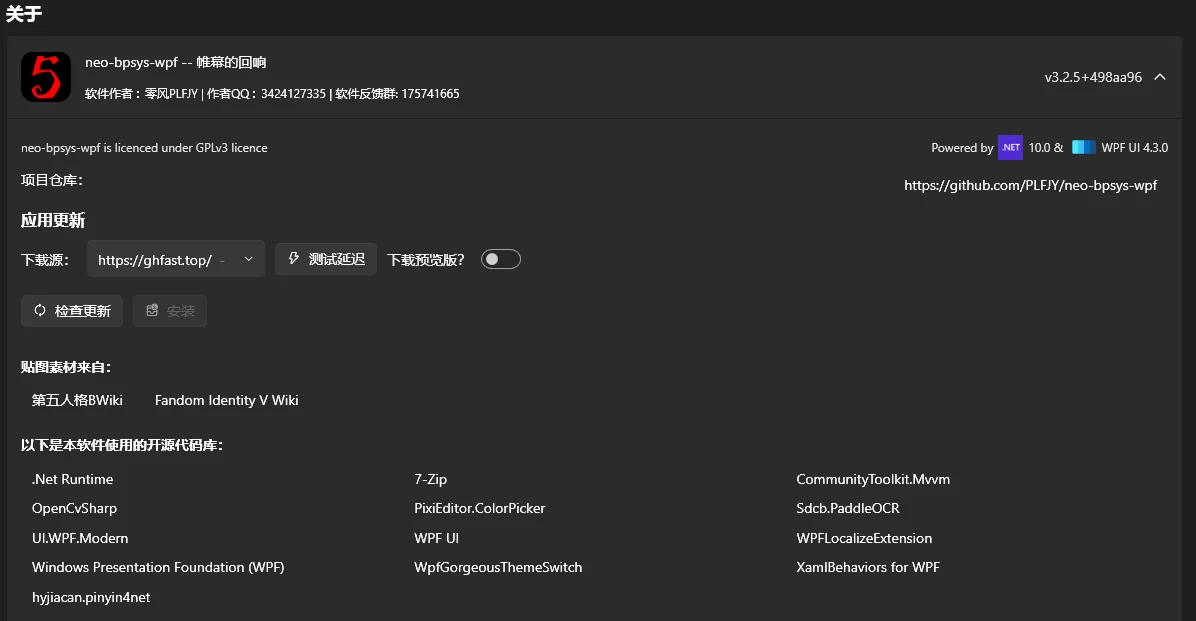
Check the software version, the open-source libraries it uses, and software updates here.
Updates currently offer 11 download mirrors that may work in mainland China. The blank twelfth option downloads directly from GitHub. A nearby toggle enables Preview Releases. It is enabled by default during testing and will be disabled by default after the stable release.
Toggle switches
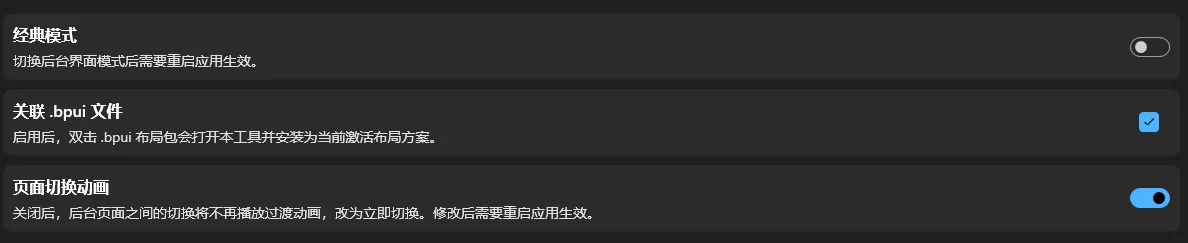
Classic Mode
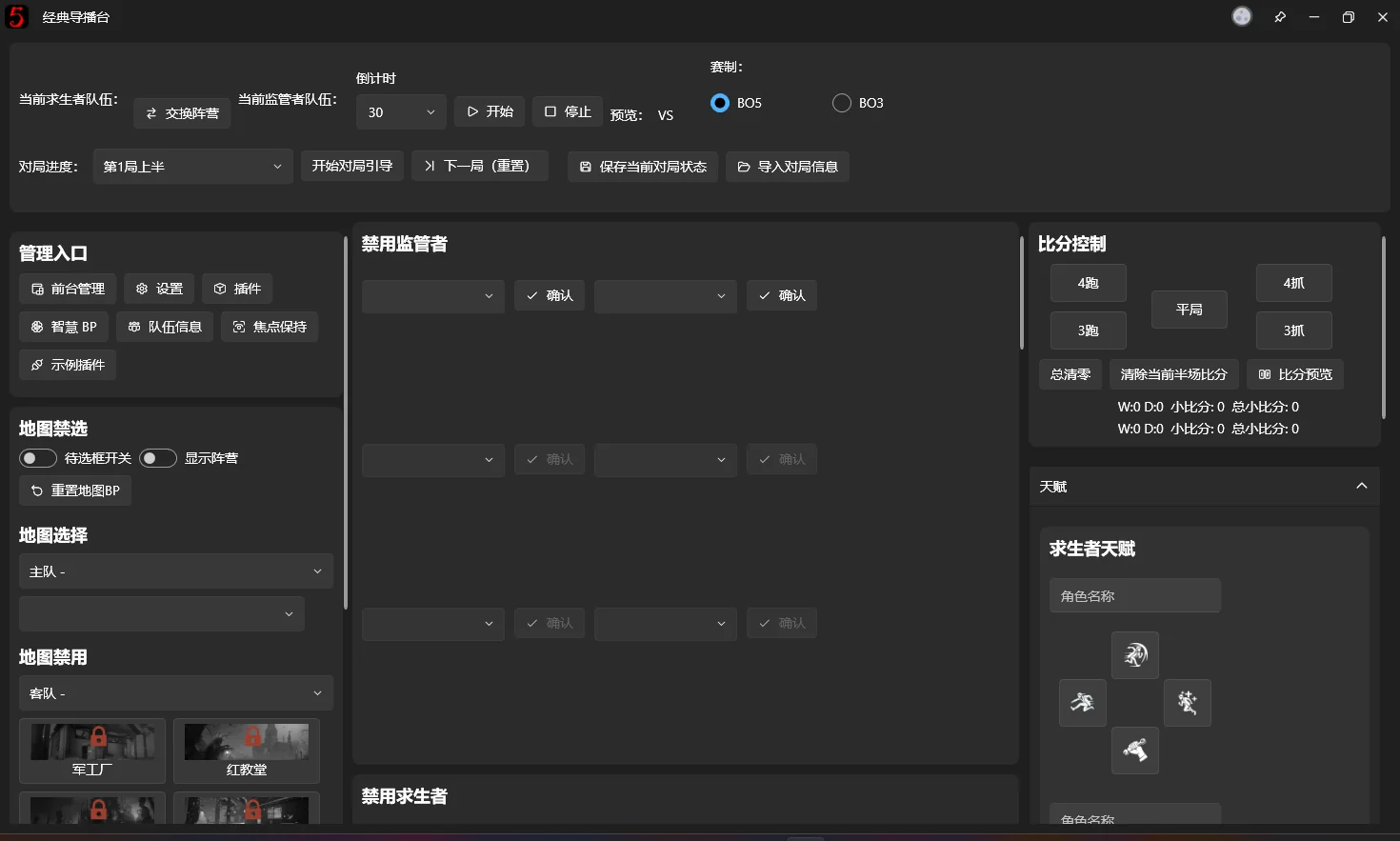
Enabling Classic Mode switches to an all-in-one layout like bp-sys-wpf ≤ 2.6. This offers another way to operate the software, but Guided Workflow may be less useful in this layout. The development team does not plan extensive further support for this interface; please report any problems you encounter.
Associate .bpui files
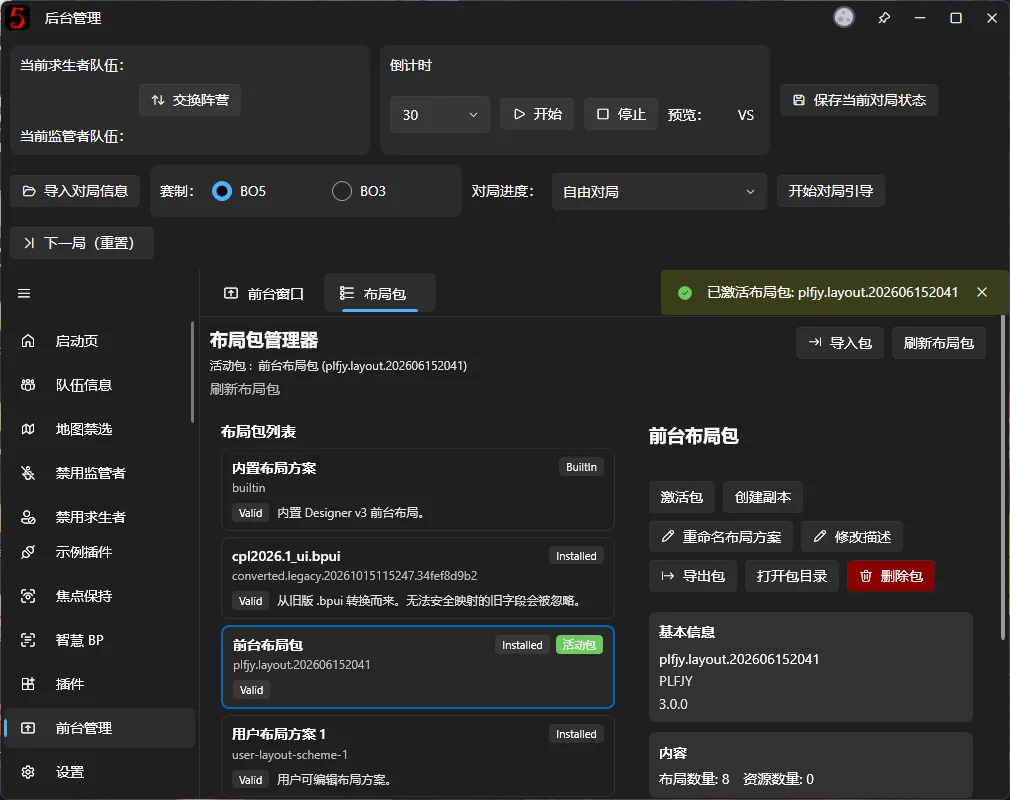
Enables opening .bpui files by double-clicking them. The Layout Package is imported automatically.
Disable page transition animations
Turn off page transitions here if they feel too slow.
Path Settings
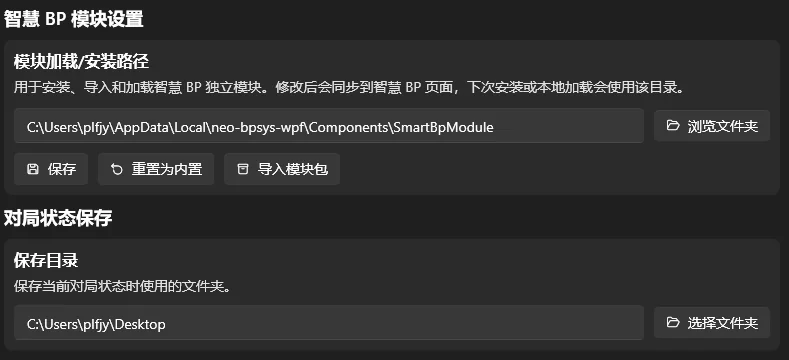
Change the SmartBP installation directory and Game Data Output Directory to avoid taking up space on drive C.
Quick Access

Open Overlay Configuration Directory makes it easier to edit overlay layouts manually.
Open Game Data Output Directory gives quick access to saved game information.
Open Log Directory helps you provide logs when reporting bugs. This button has moved to the Debug Options card.
Scan the sponsorship QR code to support development. Thank you for your support!