Team Information
10/22/26Less than 1 minute
Team Information
Use this page to set team names, logos, starting players, and other team information.
Set team information and starting players
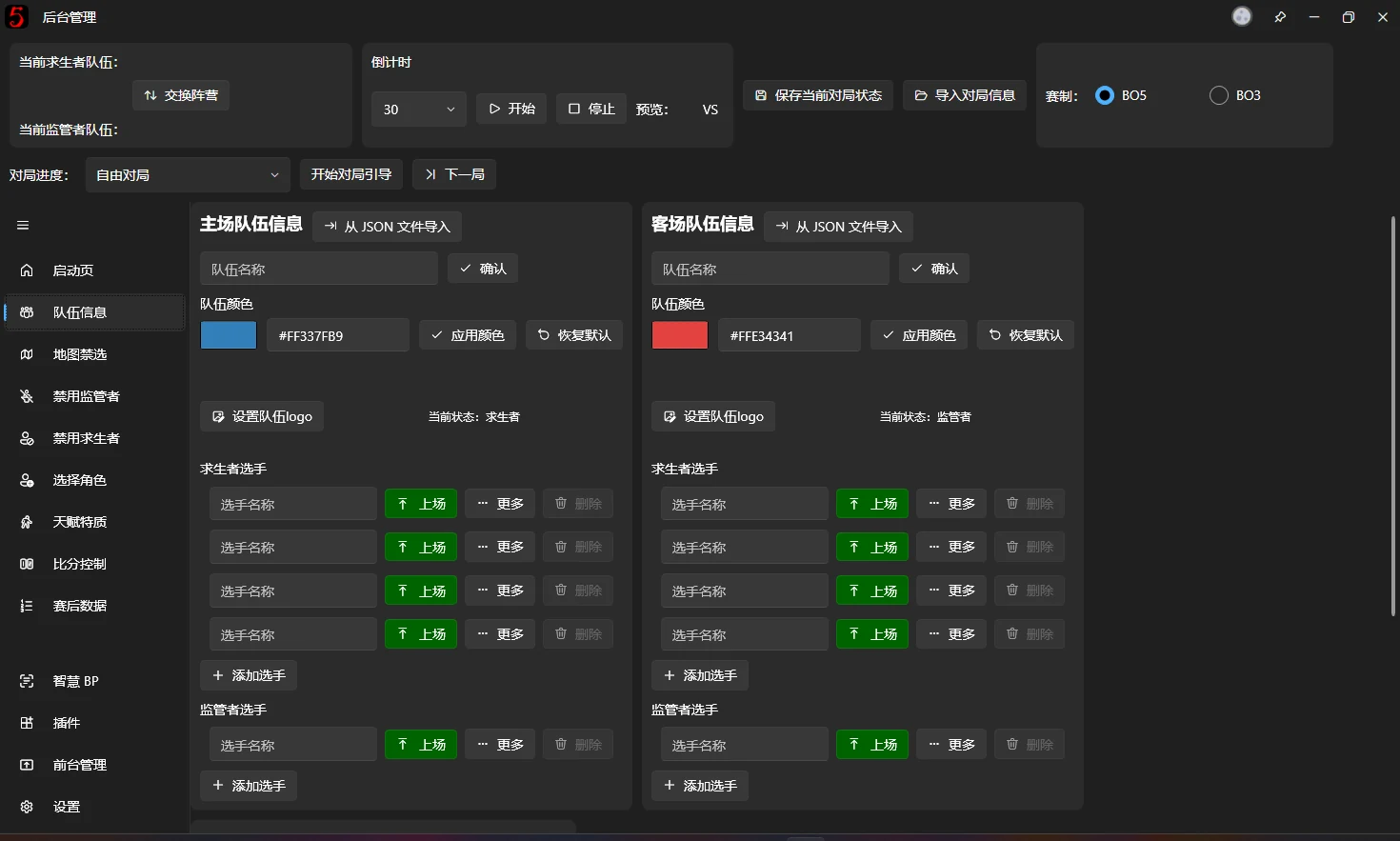
The screenshot shows the team information entry page. The away team uses the same procedure.
Fill in the team information to begin.
Click Set as active to make a player active. A maximum of four Survivor players and one Hunter player can be active at once. To bring another player in, first use Set as inactive on at least one active player of that faction.
You can also click Import from JSON File to import team information in one operation.
Change the player order
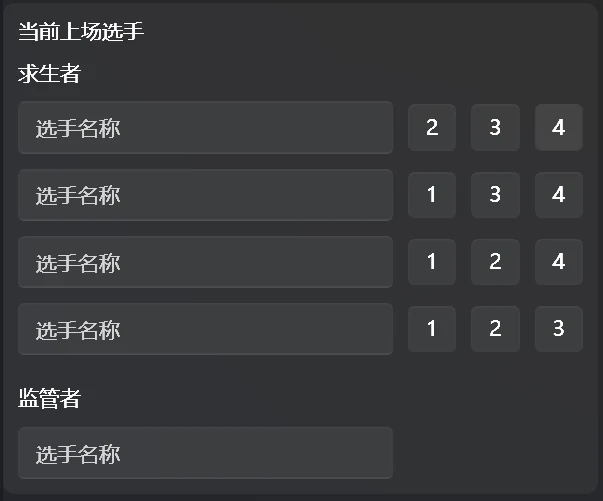
After setting both teams' starting players, use the buttons shown below to change the display order.
Click a number after a player's name to swap that player with the player in the specified position.